Your Luma calendar, now agent-operable.

Manage events, guests, tickets, and hosts from your AI workspace.

npx -y luma-events setup

Independent and community-built. Not affiliated with or endorsed by Luma.

operator.sessionConnected
You

Move Build Night to 5 PM and notify everyone—but show me the change first.

Luma EventsPreview only
Start time16:00 → 17:00 EAT
Guest notificationEnabled
Confirmation requiredNo write has been made.
23Purpose-built tools
5Supported AI clients
100%Writes need confirmation
A visible control loop

Agent speed. Human control.

Preview the change, keep the final say, and verify the result.

Prompt

Describe the change

Ask from the AI client you already use.

Preview

Inspect the operation

Review targets, notifications, and impact.

Confirm

Keep control

Every write waits for explicit confirmation.

Complete

Verify the result

Get a clear, structured outcome.

One server, full event context

Operate the entire event.

One natural-language surface for every stage.

Try a real operation

Copy a prompt. Keep the final say.

Prompt 01

List upcoming events and flag waitlists.

Prompt 02

Preview moving Build Night to 5 PM and notifying approved guests.

Prompt 03

Summarize registrations without exposing guest identities.

Event operations

Create, update, and safely cancel events.
Full lifecycleCreate → preview → confirm
Calendar controlAvailable

Guest control

Add guests and manage every approval state.
4 statesApproved · Pending · Waitlisted · Declined
Guest statesAvailable

Ticketing

Manage free, paid, and flexible-price tickets.
3 modelsFree · Paid · Flexible
Ticket modesAvailable

Host coordination

Assign managers, check-in staff, and access levels.
Role-awareManagers and check-in staff
Team accessAvailable

Audience growth

Preview and invite past audiences without duplicates.
0 duplicatesPreview before every invite
Audience toolsAvailable

Registration intelligence

Summarize registrations and check-ins without exposing identities.
Identity-safeAggregate registration insight
Private by designAvailable
Real output, redacted responsibly

Readable from prompt to result.

Real product output, with private guest identities removed.
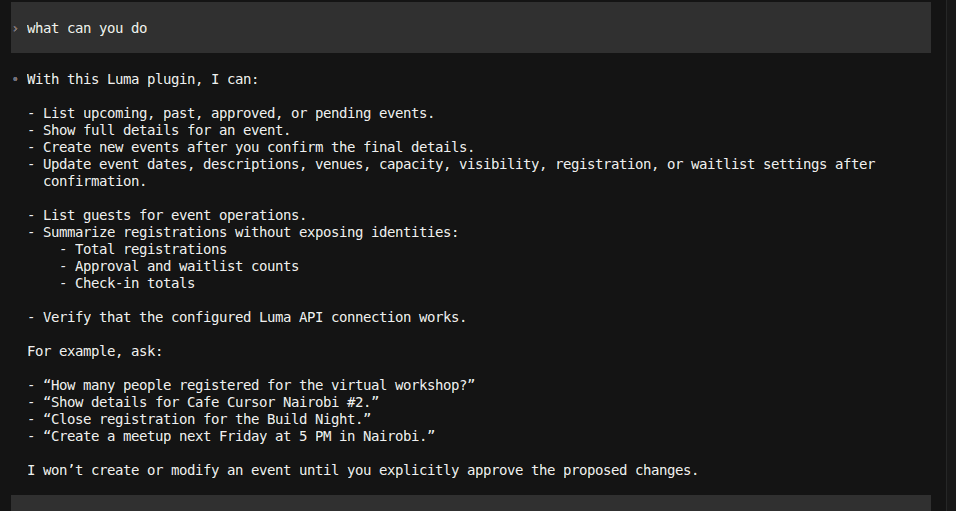
01 / DiscoveryTool inventory
Luma Events describing its event, guest, and registration capabilities with confirmation safeguards
Know what is available before you act.
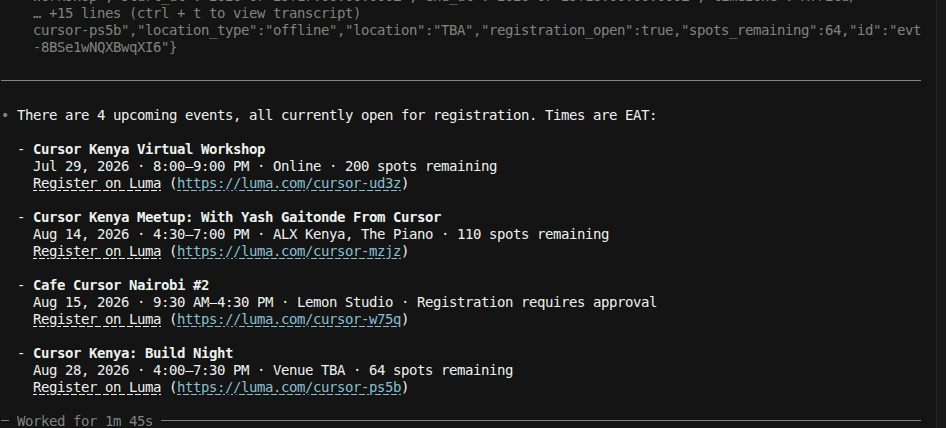
02 / ScheduleUpcoming events
Upcoming Luma events listed with dates, locations, registration settings, and capacity
Scan your calendar at a glance.
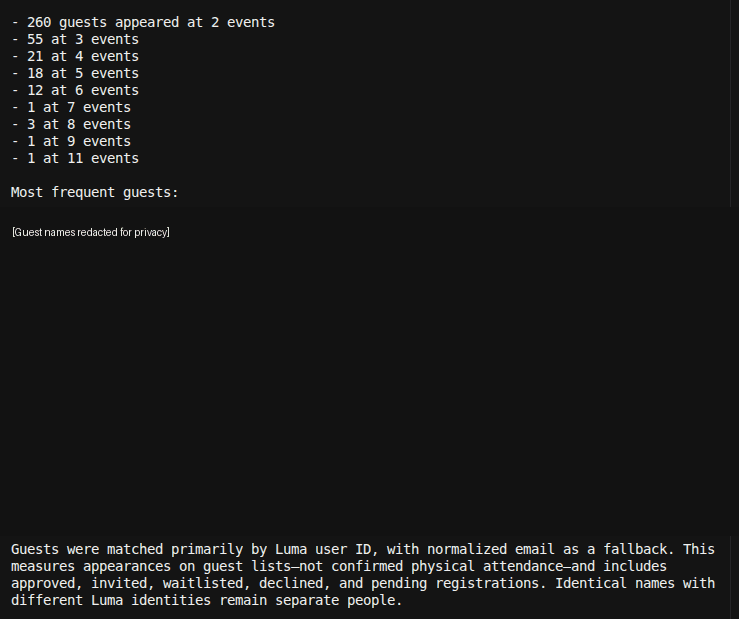
03 / InsightPrivacy-conscious
Aggregate repeat-attendance insights with guest names removed for privacy
See patterns without exposing identities.
From zero to connected

One command to connect.

Setup detects your clients, verifies your key, and previews every change.

npx -y luma-events setup
OpenAI CodexCursorClaude CodeGemini CLIGrok CLI
01

Run the setup wizard

One command detects your supported AI clients.

02

Verify your Luma key

Your masked key is verified before anything changes.

03

Start operating

Restart your selected clients and ask: “Verify my Luma connection.”

Keep the work moving

Operate Luma from your AI workspace.